Real-world setups
Examples
Below are a couple of concrete setups you can reproduce: one with eWeLink for a gate opener, and one with automation platforms (Zapier / n8n). The goal is to show the “shape” of a hook: a URL + a method + optional body/headers + variables.
Example 1 — Open a gate with eWeLink
Trigger an eWeLink Scene via a webhook, then call it from a Firehook button (handy on a car screen).
What you need
- An eWeLink setup and (typically) an eWeLink subscription to access API/webhook features.
- Access to the eWeLink web editor to configure a Scene: https://web.ewelink.cc
- A gate relay/switch set to “inching” (momentary), so it behaves like pressing a physical button.
Steps in eWeLink
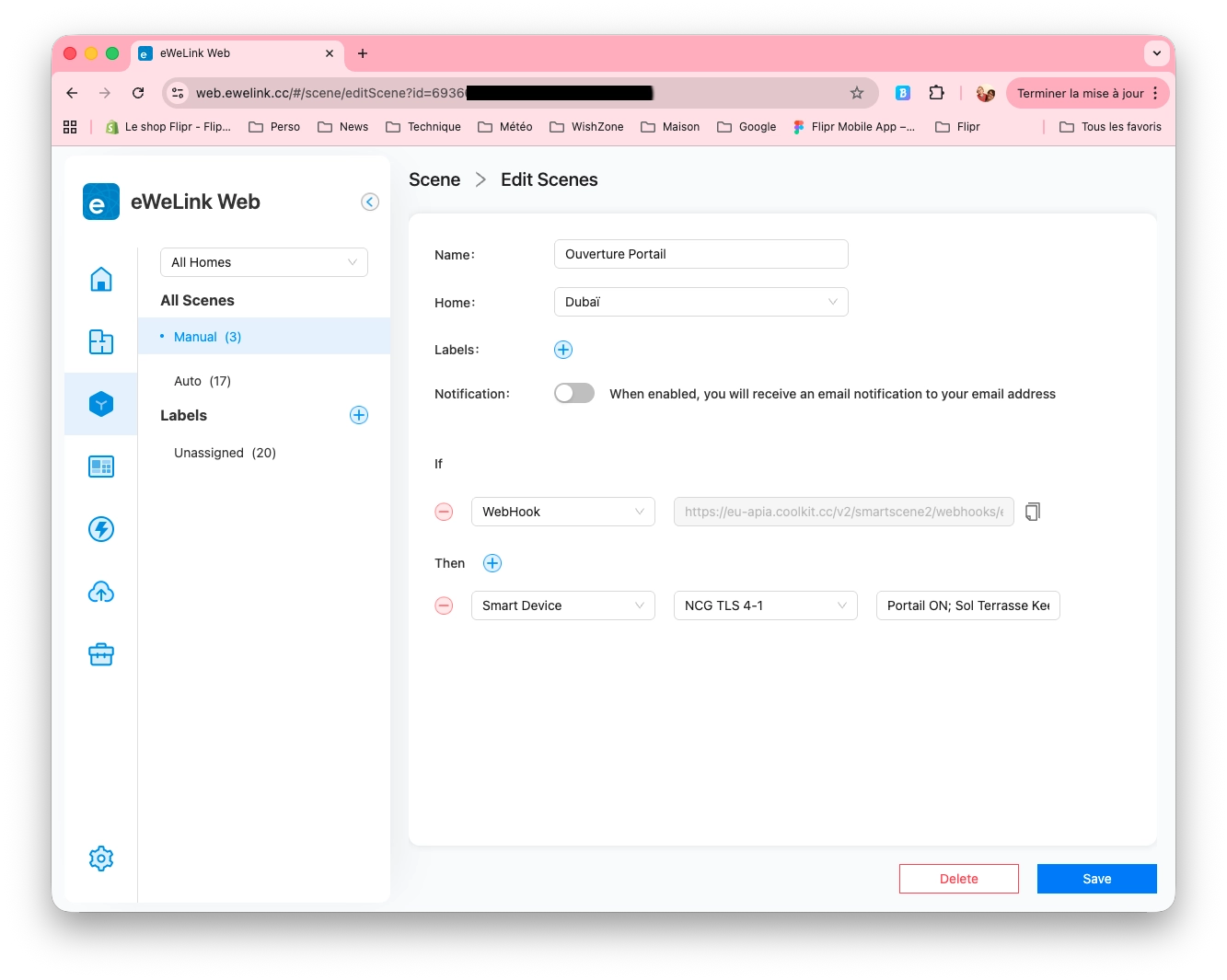
- Create or edit a Scene (for example: “Gate open”).
- Set the trigger to: WebHook.
- Set the action to: your gate switch ON.
- Save the Scene and copy the generated webhook URL. It will look like:
https://eu-apia.coolkit.cc/v2/smartscene2/webhooks/execute?id=a9b0063cbf7413c8bebfc605912az32
Configure Firehook
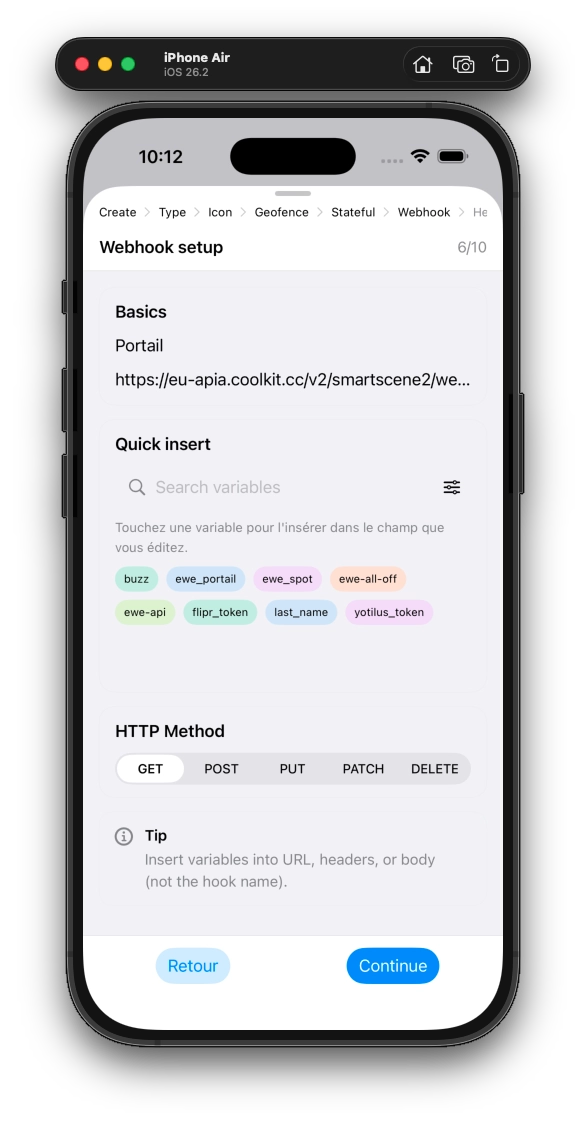
Create a Webhook hook in Firehook. Use method GET and store the webhook ID in a variable so you don’t hardcode it in the URL.
Method: GET
URL: https://eu-apia.coolkit.cc/v2/smartscene2/webhooks/execute?id={{myewelinkgate}}

Variable:
{{myewelinkgate}} = a9b0063cbf7413c8bebfc605912az32
Tip: with inching enabled in eWeLink, there’s no state persistence issue — it behaves like a short press.
Example 2 — Trigger automations via Zapier or n8n
Use Firehook as a remote control: one tap sends an event to Zapier (Catch Hook) or to an n8n Webhook node, then your workflow continues there.
Zapier (Catch Hook)
In Zapier, create a Zap with “Webhooks by Zapier” → “Catch Hook”. Zapier gives you a unique URL; Firehook calls it with a JSON payload.
- Create a Zap and pick “Catch Hook” as the trigger.
- Copy the hook URL (it contains your unique path).
- In Firehook, use POST + a JSON body; store the unique path as a variable.
Method: POST
URL: https://hooks.zapier.com/hooks/catch/{{zapierHookPath}}

Headers:
Content-Type: application/json

Body:
{"event":"arrive_home","who":"Gwenn","source":"firehook"}

Variable:
{{zapierHookPath}} = 123456/abcde/
n8n (Webhook node)
In n8n, add a Webhook node, choose POST, and copy the Production URL. Firehook calls it with the same kind of JSON event.
- Create a workflow with a Webhook node (POST).
- Copy the Production URL from n8n.
- In Firehook, use POST + a JSON body; store the route/path as a variable.
Method: POST
URL: https://n8n.example.com/webhook/{{n8nRoute}}

Headers:
Content-Type: application/json

Body:
{"event":"arrive_home","who":"Gwenn","source":"firehook"}

Variable:
{{n8nRoute}} = arrive-home
Good practices
- Keep secrets out of URLs and bodies: store them as variables (encrypted when possible).
- Start simple: confirm the endpoint works, then add headers/body step by step.
- You are responsible for the endpoints you call and the data you send to third parties.